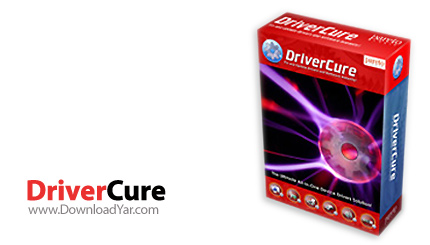
نرم افزار ParetoLogic Inc DriverCure v1.5 | کرک | 4.81 مگابایت | لینک مستقیم و رپیدشیر
DriverCure نام نرم افزاری می باشد که به وسیله آن شما قادر خواهید بود تا درایورهای مربوط به سخت افزار خود و سازگار با سیستم عامل مورد استفاده را به راحتی پیدا کنید. اگر شما هم به هر دلیلی دچار مشکل با درایورهای خود شده اید ، دیسک مربوط به نصب کننده درایورهای خود را گم گرده اید و یا درایورهایی که در گذشته بر روی ویندوز XP استفاده می کرده اید و امروز با نصب ویندوز 7 دیگر آن ها برایتان کاربرد ندارد و در عین حال برای جستجو و یافتن درایور کاملا سازگار به هر دلیلی دچار مشکل هستید، این نرم افزار در واقع پاسخگوی همه نیازهای شما می باشد. این نرم افزار محصولی از شرکت ParetoLogic Inc می باشد.
قابلیت های کلیدی نرم افزار ParetoLogic Inc DriverCure v1.5:
- قابلیت استفاده بر روی سیستم عامل ویندوز در نسخه های XP , Vista و 7
- قابلیت اسکن نمودن به منظور شناسایی درایورهای خراب شده
- تعمیر درایورها به منظور افزایش سرعت کارایی سخت افزارهای قدیمی
- توانایی دانلود درایورهای جدید برای سخت افزارها
- و ...
ParetoLogic DriverCure is a powerful software that will quickly and deeply scan your system and let you know which drivers are out-of-date and need immediate update. It then will get you updated with the latest versions. This means increased speed, performance, stability and new features.
Issues caused by faulty or outdated software and device drivers are prevalent in today's computing experience. Identifying and correcting for these issues can be complete guesswork and a daunting task that occurs again and again. With DriverCure you can identify software and drivers that need to be updated to keep your system running at optimum levels of performance.
Many drivers are updated several times a year. ParetoLogic DriverCure makes sure that you have the latest versions. You will receive an email notifying you of a new driver and helping you update. This ensures your PC is always working at its best.
DriverCure Key Benefits:
- Quickly optimize your computer
- Easily find the latest hardware drivers and software versions for your computer and accessories
- Simply keep all your computer hardware drivers and software up-to-date with one easy to use tool
- Confidently find the correct hardware drivers and software from reliable sources
- Safely install drivers
Here are some key features of "DriverCure":
Centralized updating solution:
- DriverCure performs a thorough scan of your hardware and software and displays detailed information for the detected items. You decide what items you want to download and install. Up-to-date drivers and software are installed directly from DriverCure.
Ease of use:
- DriverCure is easy to use. It utilizes a guided step-by-step process from scan to install with directions on each step to assist you. Automated features are also provided which mean that DriverCure does much of the work for you.
Ignore items:
- After completing a scan you can choose to ignore any items listed in the results page. By doing so the items will not appear in upcoming scans.
Safety:
- With the DriverCure History page you can view an entire list of previously installed items. From this list you can re-install the item so as to revert to a previous working version. DriverCure, by default, is set to have the Windows System Restore point automatically occur before you install items. This means you can safely restore your system to a previous state.
- System Restore is a feature offered by Windows Vista and Windows XP operating systems. In the event of a system failure or other major problem with your computer, system restore can be used to return your computer to an earlier working state. When setting a restore point the system takes a complete snapshot of the registry and certain system files and saves this information. You can then revert to this saved state without losing personal data. Microsoft states that this safeguard should only be used after trying less comprehensive methods of troubleshooting. Refer to the Microsoft site for more information and instruction.
Access to an ever-increasing database:
- Hardware manufacturers regularly provide driver updates and new releases for their products. With DriverCure you are connected to a database of drivers and software without having to download database updates. This extensive database is updated to include the latest items as they are released by manufactures and software developers.
Automated functionality and free updates:
- DriverCure provides scheduling functionality. The program will run a scan twice a week automatically and you can customize the schedules. In addition DriverCure is configured to automatically scan your computer upon reboot. See Settings for more information. You automatically receive free database updates throughout the lifetime of your subscription and you get free product updates.
Service and support:
- DriverCure registered customers can receive assistance from our world class technical support team. Our team and our services have been described by our customers as persistent, responsive, and timely. We work with you to solve problems.
راهنمای دانلود :
- دانلود کلیه فایل ها کاملاً رایگان بوده و قیمت
های درج شده صرفاً به منظور آگاهی می باشد.
- پیشنهاد می شود برای دانلود فایل ها حتماً از
یک نرم افزار مدیریت دانلود و مخصوصاً FlashGet
استفاده کنید.
- فایل های کرک به دلیل ماهیت عملکرد در هنگام استفاده
ممکن است توسط آنتی ویروس ها به عنوان فایل خطرناک
شناسایی شوند در این گونه مواقع به صورت موقت آنتی
ویروس خود را غیر فعال کنید.
- چنانچه قادر به دانلود از سرور دانلود مستقیم
نیستید و در هنگام دانلود با پیغام خطای 403
روبرو می شوید، از لینک های کمکی استفاده کنید.
( لینک کمکی چیست؟ لینک کمکی، یک کپی مشابه از
فایل است که بر روی یک سایت دیگر جهت دانلود قرار
داده می شود و در مواقعی که یک سرور قادر به سرویس
دهی نباشد شما می توانید فایل مورد نظر خود را از
یک سرور دیگر دانلود نمائید)
- دانلود فایل ها از لینک کمکی به دلیل امکان حذف
سریع از روی سرور مربوطه، با مسئولیت خود کاربر می
باشد.
- فایل های قرار داده شده برای دانلود به منظور
کاهش حجم و دریافت سریعتر فشرده شده اند، برای خارج
سازی فایل ها از حالت فشرده از نرم افزار Winrar
و یا مشابه آن استفاده کنید.
- فایل های بسیار حجیم برای سهولت دریافت به چند
بخش تقسیم بندی شده اند. پس از دانلود تمامی بخش ها،
همگی را درون یک پوشه قرار داده و اقدام به بازگشایی
آنها از اولین فایل نمائید. با Extract نمودن فایل
قسمت اول، قسمت های بعدی به صورت خودکار شناخته می
شوند و یک به یک از حالت فشرده خارج شده و در نهایت
فایل کامل را تشکیل می دهند.
- کلمه رمز جهت بازگشایی فایل فشرده عبارت www.downloadyar.com
می باشد. تمامی حروف را میبایستی به صورت کوچک تایپ
کنید و در هنگام تایپ به وضعیت EN/FA کیبورد خود توجه
داشته باشید همچنین بهتر است کلمه رمز را تایپ کنید
و از Copy-Paste آن بپرهیزید.
- چنانچه در هنگام خارج سازی فایل از حالت فشرده
با پیغام CRC مواجه شدید، در صورتی که کلمه
رمز را درست وارد کرده باشید. فایل به صورت خراب دانلود
شده است و می بایستی مجدداً آن را دانلود کنید. در
فایل های بسیار حجیم که به چند بخش تقسیم شده اند
دقت کنید در هنگام بازگشایی بر روی کدام یک از قسمت
ها پیغام خطای CRC داده می شود سپس برای دانلود مجدد
فقط همان قسمتی که خراب دانلود شده است را دانلود
نمائید.
- فایل هایی که پس از خارج شدن از حالت فشرده به
فرمت iso. هستند می بایستی ابتدا با استفاده از نرم
افزار Nero و یا UltraIso بر روی سی
رایت شوند و سپس مورد استفاده قرار گیرند.
رمز فایل: www.downloadyar.com
دانلود, دانلود رایگان, دانلود لینک مستقیم, دانلود رایگان مستقیم, داونلود, دانلد, nhkg,n , دانلود نرم افزار, دانلود driver scan, دانلود driver update, دانلود hardware driver, دانلود driver, دانلود updater, دانلود scan, دانلود اسکن, دانلود تشخیص, دانلود درایور, دانلود گرداننده, دانلود به روز رسانی درایور, دانلود گرداننده سخت افزار, دانلود درایور سخت افزار, دانلود هاردور, دانلود رفع مشکلات درایورهای سخت افزار


0 نظر