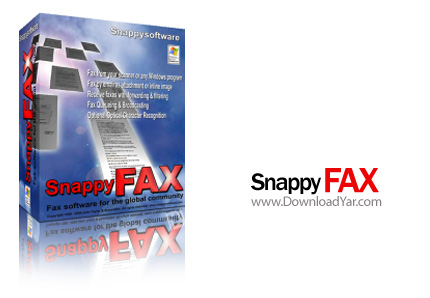
نرم افزار Snappy Fax v4.35.1.1 | کیجن | 25.96 مگابایت | لینک مستقیم و رپیدشیر
Snappy Fax نام نرم افزاری می باشد که شما با نصب آن بر روی سیستم خود به راحتی می توانید تمامی اعمالی را که یک دستگاه Fax انجام می دهد را در اختیار داشته باشید و از این طریق در هزینه خرید دستگاه های گران قیمت Fax صرفه جویی کنید. این نرم افزار از طریق Fax modem ها که امروزه در بازار ایران به راحتی و با قیمتی بسیار پایین یافت می شوند اقدام به ارسال و دریافت نامه ها می کند. این نرم افزار را نمی توان با استفاده از Modem هایی که فاقد ویژگی Fax هستند و همچنین مودم های ADSL به دلیل عدم قابلیت Fax استفاده نمود.
قابلیت های كلیدی نرم افزار Snappy Fax v4.35.1.1:
- ارسال Fax از طریق سیستم ویندوز
- دریافت فاکس بر روی کامپیوتر شخصی شما
- پشتیبانی از عکس ها در دریافت و ارسال فاکس ها
- مرتب سازی فاکس ها بر اساس روز و تاریخ و زمان دریافت
- قابلیت تنظیم ارسال خودکار فاکس های دریافتی به شماره های Fax دیگر و یا به Email ای که در برنامه تنظیم شده است
- توانایی فیلتر کردن فاکس های ورودی
- دارای حالت Capture mode برای گرفتن عکس از برنامه ها و پنجره های مختلف ویندوز و ارسال آن ها در فاکس ها
- توانایی تنظیم حالت خودکار برای ذخیره سازی فاکس ها به صورت عکس، فایل های Word , Excel و دیگر برنامه هایی که قابلیت ایجاد سند های قابل چاپ را دارا می باشند
- قابلیت چاپ خودکار فاکس های دریافتی توسط چاپگر
- توانایی ذخیره سازی فاکس های دریافتی در فورمت PDF
- قابلیت ارسال فاکس ها به وب سایت مورد نظر برای نمایش فاکس در مرورگر اینترنتی
- دارای ابزار ویرایشگر عکس
- گزارش روزانه از فاکس های دریافتی و ارسال شده
- و ...
Snappy Fax (SF) is a full-featured fax document management system. It allows you to store previously sent faxes that can be retrieved on demand, annotated, and processed again. You can resend the entire document, or send one or more pages without the need for re-transmitting the entire document. Annotation capabilities allow you to mark up a document and send it back to the original sender for review. SF stores all fax images sent or received and by whatever method (virtual fax, inline email or email attachment, or web fax) in its local database for later retrieval.
Version 3 of SF introduces true Fax Broadcasting capability. Any document can be captured in a Queue and saved for sending at a later time, either on demand or at a predetermined date and time. You can also have queued faxes sent repeatedly to any number of recipients at specified intervals. For example, a restaurant may want to establish a fax database of menu “flyers” that can be faxed to a number of business establishments on the first day of each week. With SF, this can be done very easily and with custom cover pages if desired.
Version 3 also introduces the concept of Web Fax. This is a very efficient method of distributing a fax document for viewing by numerous individuals. If you have ftp access to a web site, you can use SF to send a fax image to a predetermined web address and then notify any number of recipients via email of its existence so they can view it with their web browser.
Previous versions of SF included the ability to forward a received fax to an email ccount, however, its functionality was very limited. Version 3 expands on this to allow faxes received to be forwarded to any number of email addresses, regular fax machines or forwarded as web faxes. The forwarding criteria can be set to apply for a predetermined time so that there is no need to indicate the forwarding parameters or recipients each time you run snappy fax.
Snappy Fax filters unwanted faxes to reduce the volume of unwanted junk faxes you receive. The filter can be set to accept faxes from the filter numbers or to reject all faxes from the numbers in the filter list.
Here are some key features of "Snappy Fax":
- Faxes can be sent from any Windows program
- Receive faxes directly to your PC
- Supports acquiring images from your scanner for faxing
- Supports flat-bed or auto-sheet fed scanners
- Compatible with all Twain compliant scanners
- Fax Queueing (broadcasting) - faxes may be queued to send at a specific date, time and frequency or to send on-demand. Great for sending out that weekly newsletter or other publication.
- Support sending fax images via email
- Send as an email attachment
- Send as an inline email image
- Automatic forwarding of incoming faxes to either another fax machine, or any number of email addresses
- Filtering of unwanted incoming junk faxes.
- "Capture mode" allows you to capture images from different windows applications and send as one multi-page fax in a single transmission.
- Automatically generate ready-to-fax images of Word or Excel documents or documents from other applications that support the "printto" command line directive
- Fax images can be printed automatically (incoming) or printed at any time on-demand (outgoing and incoming)
- Supports saving of fax images in PDF Format
- Fax images can be sent to a website for viewing with a web browser.
- Supports sending and receiving faxes to other Snappy Fax users via email, ftp or local area network
- You can easily resend a fax without re-entering any information. The entire fax or just specific pages can be sent.
- Includes Address Book which supports Importing from Outlook contacts
- Includes extensive set of tools to annotate (markup) fax images.
Image manipulation tools included:
· Rotate image
· Despeckle Image (remove "dust")
- Deskew (Straighten) image
- Cut page from multi-page image
- Rearrange page order
- Zoom, Pan and Magnify modes
- Optional Optical Character Recognition module can produce editable text from fax image. Includes "live" spell checking and numerous dictionaries.
· Includes address book with ability to import from Outlook Contacts or from tab or comma-delimited text files
- Doubles as a client to Snappy Fax Network Server
- Integrated full featured cover page designer with preview
- Supports Word Documents as cover page templates
- Comes with nine cover templates already constructed and ready for use
- Customizable data grids that can be sorted or filtered on any column.
- Built-in "Live Update" for software updates
- Fax Report listings
راهنمای دانلود :
- دانلود کلیه فایل ها کاملاً رایگان بوده و قیمت
های درج شده صرفاً به منظور آگاهی می باشد.
- پیشنهاد می شود برای دانلود فایل ها حتماً از
یک نرم افزار مدیریت دانلود و مخصوصاً FlashGet
استفاده کنید.
- فایل های کرک به دلیل ماهیت عملکرد در هنگام استفاده
ممکن است توسط آنتی ویروس ها به عنوان فایل خطرناک
شناسایی شوند در این گونه مواقع به صورت موقت آنتی
ویروس خود را غیر فعال کنید.
- چنانچه قادر به دانلود از سرور دانلود مستقیم
نیستید و در هنگام دانلود با پیغام خطای 403
روبرو می شوید، از لینک های کمکی استفاده کنید.
( لینک کمکی چیست؟ لینک کمکی، یک کپی مشابه از
فایل است که بر روی یک سایت دیگر جهت دانلود قرار
داده می شود و در مواقعی که یک سرور قادر به سرویس
دهی نباشد شما می توانید فایل مورد نظر خود را از
یک سرور دیگر دانلود نمائید)
- دانلود فایل ها از لینک کمکی به دلیل امکان حذف
سریع از روی سرور مربوطه، با مسئولیت خود کاربر می
باشد.
- فایل های قرار داده شده برای دانلود به منظور
کاهش حجم و دریافت سریعتر فشرده شده اند، برای خارج
سازی فایل ها از حالت فشرده از نرم افزار Winrar
و یا مشابه آن استفاده کنید.
- فایل های بسیار حجیم برای سهولت دریافت به چند
بخش تقسیم بندی شده اند. پس از دانلود تمامی بخش ها،
همگی را درون یک پوشه قرار داده و اقدام به بازگشایی
آنها از اولین فایل نمائید. با Extract نمودن فایل
قسمت اول، قسمت های بعدی به صورت خودکار شناخته می
شوند و یک به یک از حالت فشرده خارج شده و در نهایت
فایل کامل را تشکیل می دهند.
- کلمه رمز جهت بازگشایی فایل فشرده عبارت www.downloadyar.com
می باشد. تمامی حروف را میبایستی به صورت کوچک تایپ
کنید و در هنگام تایپ به وضعیت EN/FA کیبورد خود توجه
داشته باشید همچنین بهتر است کلمه رمز را تایپ کنید
و از Copy-Paste آن بپرهیزید.
- چنانچه در هنگام خارج سازی فایل از حالت فشرده
با پیغام CRC مواجه شدید، در صورتی که کلمه
رمز را درست وارد کرده باشید. فایل به صورت خراب دانلود
شده است و می بایستی مجدداً آن را دانلود کنید. در
فایل های بسیار حجیم که به چند بخش تقسیم شده اند
دقت کنید در هنگام بازگشایی بر روی کدام یک از قسمت
ها پیغام خطای CRC داده می شود سپس برای دانلود مجدد
فقط همان قسمتی که خراب دانلود شده است را دانلود
نمائید.
- فایل هایی که پس از خارج شدن از حالت فشرده به
فرمت iso. هستند می بایستی ابتدا با استفاده از نرم
افزار Nero و یا UltraIso بر روی سی
رایت شوند و سپس مورد استفاده قرار گیرند.
رمز فایل: www.downloadyar.com
دانلود, دانلود رایگان, دانلود لینک مستقیم, دانلود رایگان مستقیم, داونلود, دانلد, nhkg,n , دانلود نرم افزار, دانلود fax program, دانلود fax machine, دانلود fax software, دانلود cover, دانلود snappy, دانلود snappy fax, دانلود کاور, دانلود جلد, دانلود فاکس, دانلود نمابر, دانلود برنامه نمابر, دانلود ماشین فاکس, دانلود اسنپی فکس, دانلود اسنپی فاکس


0 نظر